Calendars

An excellent exercise is creating a calendar in JavaScript. Apart from the styling, it gives you a chance to practice looping and user-interactions such as changing the month and selecting a date or date range.
Rendering a Calendar
Section titled “Rendering a Calendar”Calendars are a great example for rendering a tabular layout. First of all, the data is intrinsic to the problem - no need to store or retrieve sample data from some database or JSON endpoint. Just use your language’s built-in Date object and you’re good to go.
Secondly, you have a variety of options for how you want to render the calendar. You can use the tried-and-true HTML <table>, or you can apply a grid-like layout using simple <div> elements and CSS styles.
You also have choices for the content: The traditional monthly calendar shows all the days of the week (Sunday through Saturday). An alternative is to display a work-week calendar (Monday through Friday). You don’t have to limit yourself to a single month. Full-year calendars as well as two-, three-, or four-month calendars are also popular choices. If you want to go the extra mile, you can include a column that shows the week of the year.
Your calendar can just include the dates themselves, or you can add scheduled items on the calendar. Multiple items can fit in a single day, or a single item can span multiple days.
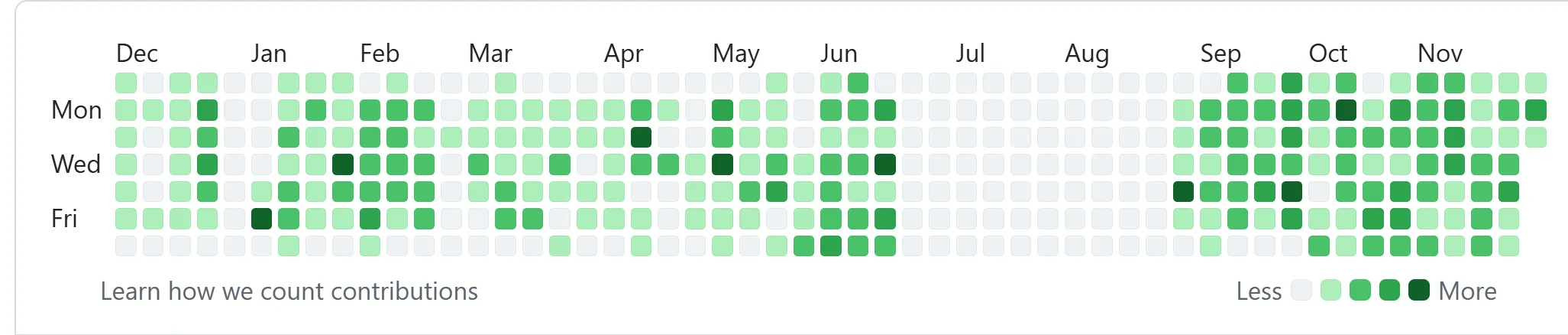
Do you want to try something more avant-garde yet compact? Consider how GitHub denotes a calendar on the user’s profile for their commit history.
Sizing for Months
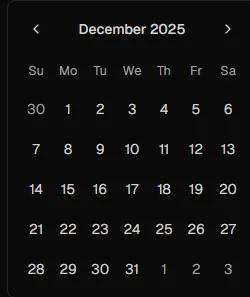
Section titled “Sizing for Months”One of the interesting aspects of creating a calendar is how you have to account for the number of weeks you will need when rendering the whole month. Most of the time, you need five weeks, but occassionally you will need only four weeks or as many as six weeks, as shown in this comparison.
| Short Month | Normal Month | Long Month |
|---|---|---|
 |  |  |
Algorithms
Section titled “Algorithms”Let’s say you’ve settled on a standard single-month calendar showing all 7 days of the week. The simplest way to render out each “cell” in a tabular layout would be to loop through the days from Sunday to Saturday for each week. You’ve got some challenges to address.
- How do you get the first and last day of the month if all you have is the year and the month?
- How do you determine what day is the first day of the calendar? It can easily be a date in the previous month?
- What about the last day of the calendar? If the last day of the month isn’s a Saturday, then you need to consider which dates of the following month you need to include.
All of this is solvable with math. And there is more than one way to approach it. Here’s an approach in JavaScript.
// Assuming an <input type="month" /> in a 'change' event listener ...let selectedMonth = evt.target.value; // Format is yyyy-MM// destructuring an array of valueslet [year, month] = selectedMonth.split('-')//                  \__ string__/\_string[]_/    .map(text => parseInt(text));//  \___ number[] _____________/

let startOfMonth = new Date(year, month - 1);let endOfMonth = new Date(year, month, 0);let daysDiff = endOfMonth.getDate() + startOfMonth.getDay();// maxDays will be a multiple of 7, for a full week calendarlet maxDays = daysDiff == 28 ? 28 : daysDiff <= 35 ? 35 : 42;
We’ll assume we’re using simple <div> containers for each date, with styling that produces the tabular layout.
function buildDaySlot(date) { let div = document.createElement('div'); let span = document.createElement('span'); let textNode = document.createTextNode(date.getDate()); div.appendChild(span); span.appendChild(textNode); return div;}#calendar { display: grid; grid-template-columns: repeat(7, 1fr); gap: 0; width: calc(75px * 7);}
#calendar > div { width: 75px; height: 75px; border: solid thin gainsboro;}Then, we can loop through each day for the calendar to render the cell.
// Reset the date to the first day of the week (Sunday),// so that we can begin noting the actual dates beginning// with Sunday.startOfMonth.setDate(startOfMonth.getDate() - startOfMonth.getDay());
for(let count = 0; count < maxDays; count++) {    calendarContainer.appendChild(buildDaySlot(startOfMonth));    startOfMonth.setDate(startOfMonth.getDate() + 1);}