HTML Forms
-
Top 6 HTML Features You’re Not Using (But Should Be)
-
💫
inertattribute! 👀 -
✨ A new take on the
<output>element:<form oninput="total.value = (qty.value * price.value).toFixed(2)"><label>Quantity:<input id="qty" type="number" min="1" value="1" /></label><label>Price:<input id="price" type="number" step="0.01" min="0" value="9.99" /></label><p>Total: <output id="total" for="qty price"></output> €</form>
-
Astro Components for Tags
Section titled “Astro Components for Tags”To simplify and standardize discussions of HTML Elements (such as this page, which will illustrate HTML Form controls), I want a component that will give me a Tag Summary (or a collection thereof).
-
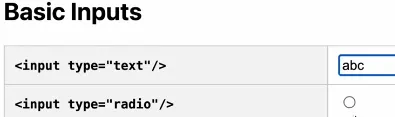
Two-column layout:
- “Preview” - the HTML for the tag, or the
label - “Example” - An example of what the element will look like
- “Preview” - the HTML for the tag, or the
-
If a label is present, preview the label. Otherwise, preview the HTML tag.
-
When a label is present, include a “toggle” icon:
-
Support a
mdn="external"for<TagSummary>that will include a reference to the MDN documentation for the tag.-
Hovering over the label will produce a link button
-
For example, if
tag="input", then the link will be for:https://developer.mozilla.org/docs/Web/HTML/Reference/Elements/input
-
-
Add an
interceptFormattribute (for form input elements) which will wrap the tag’s “Example” column with a form that isolates and prevents actual form processing from occurring (preventDefault(), etc.). -
Include a
textNodeattribute if you are showing a tag like<p>or<strong>, so that some child text can be shown in the preview and example columns.
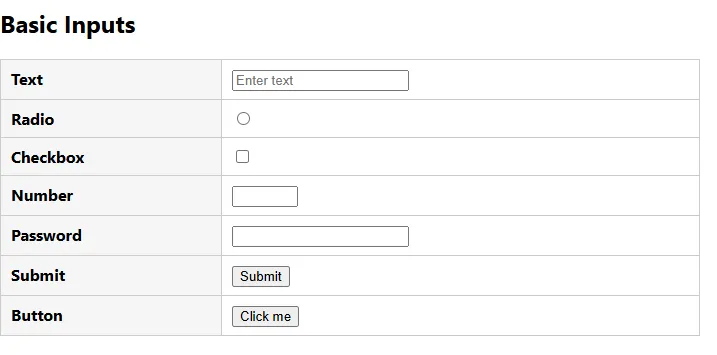
<TagCollection> Demo
Section titled “<TagCollection> Demo”<TagCollection heading="Basic Inputs" level="2"> <TagSummary label="Text" tag="input" type="text" /> <TagSummary label="Radio" tag="input" type="radio" /> <TagSummary label="Checkbox" tag="input" type="checkbox" /> <TagSummary label="Number" tag="input" type="number" /> <TagSummary label="Password" tag="input" type="password" /> <TagSummary label="Submit" tag="input" type="submit" value="Submit" /> <TagSummary label="Button" tag="input" type="button" value="Click me" /></TagCollection>